
Implementing Statistical Charts with Plotly.js in Vue 3, Vite, and JavaScript- A P-Chart (Fraction Defective Control Chart) Example
Due to the requirements of product and project development, we needed to use the Plotly.js library to implement statistical process control charts. In this article, we will use a simple P-Chart (Fraction Defective Control Chart) as an example to demonstrate the implementation.
First, open Command Prompt and enter the command to create a new Vue 3 project. When prompted, select JavaScript as the programming language.
npm create vite@latest
Open the Visual Studio Code terminal and run the following command to install Plotly.js:
npm i plotly.js
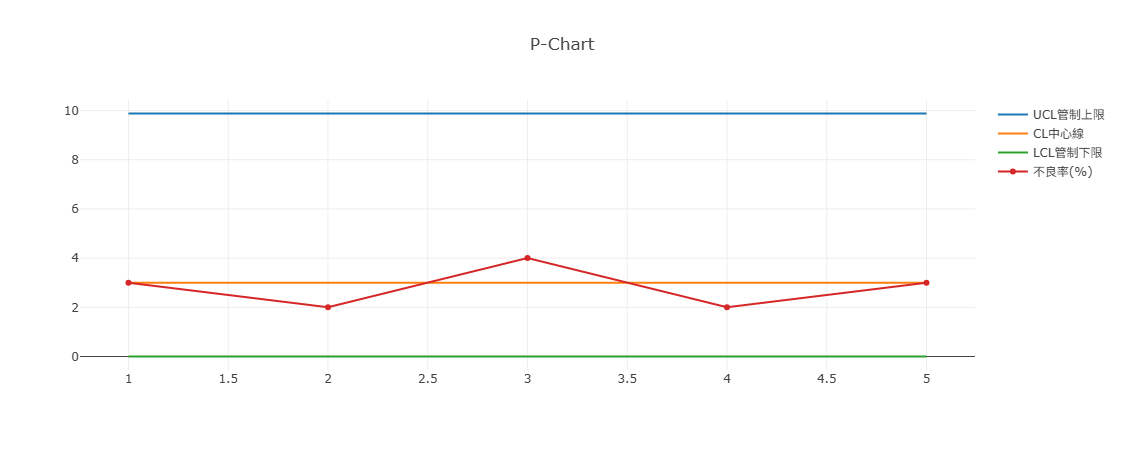
In SPC (Statistical Process Control), a P-Chart (Fraction Defective Control Chart), commonly referred to as a P Chart, consists of the following four lines:
Center Line (CL) Upper Control Limit (UCL) Lower Control Limit (LCL) Defect Rate
Formula Reference: https://www.itl.nist.gov/div898/handbook/pmc/section3/pmc332.htm?utm_source=chatgpt.com
Example code for drawing the chart:
<template>
  <div ref="chart"></div>
</template>
<script setup>
import Plotly from 'plotly.js/dist/plotly.js';
import { onMounted, ref } from 'vue';

const chart = ref(null);

var ucl = {
  x: [1, 2, 3, 4, 5],
  y: [9.88, 9.88, 9.88, 9.88, 9.88],
  mode: 'lines',
  name: 'UCL管制上限',
};

var cl = {
  x: [1, 2, 3, 4, 5],
  y: [3, 3, 3, 3, 3],
  mode: 'lines',
  name: 'CL中心線',
};

var lcl = {
  x: [1, 2, 3, 4, 5],
  y: [0, 0, 0, 0, 0],
  mode: 'lines',
  name: 'LCL管制下限',
};

var values = {
  x: [1, 2, 3, 4, 5],
  y: [3, 2, 4, 2, 3],
  mode: 'lines+markers',
  name: '不良率(%)',
};

var data = [ucl, cl, lcl, values];

var layout = {
  title: { text: 'P-Chart' },
};

onMounted(() => {
  Plotly.newPlot(chart.value, data, layout);
});
</script>
The result is shown in the figure below:
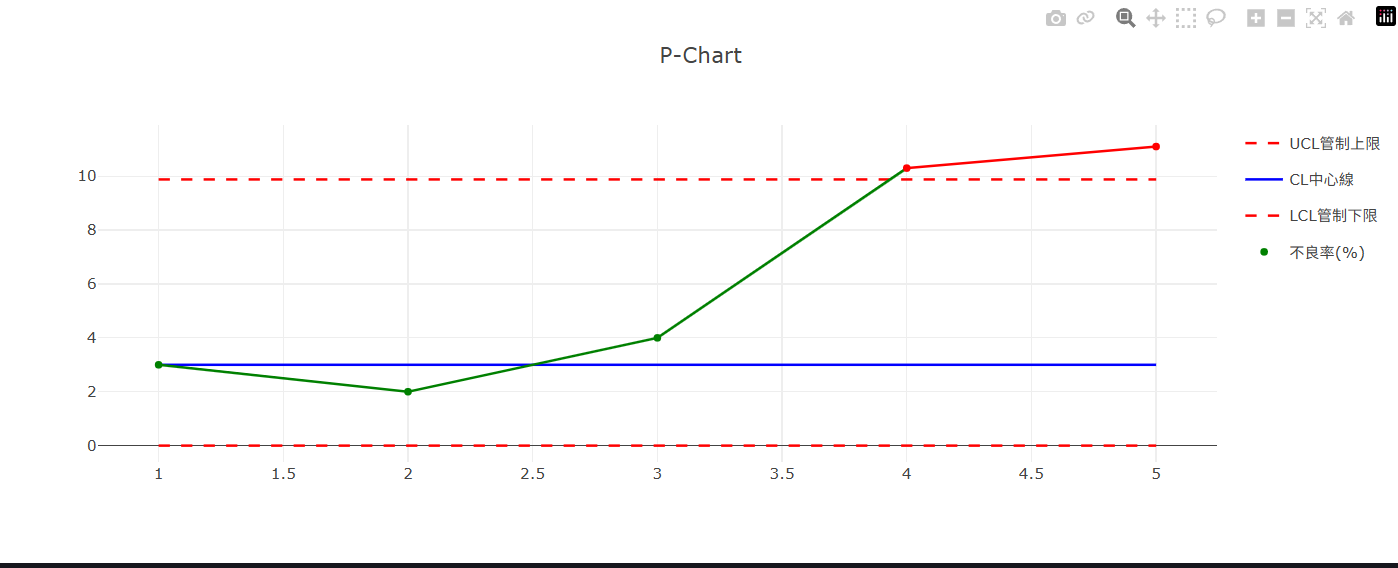
A more advanced example is shown below. When the defect rate exceeds the Upper Control Limit (UCL), red markers and warning lines are displayed to highlight the out-of-control condition.:
The same charting techniques can be extended to other statistical process control charts, including:
C-Chart, NP-Chart, U-Chart XBar-R-Chart XBar-S-Chart XMed-R-Chart X-MR-Chart, MA-Chart I-MR-Chart
If you would like to learn more about our solutions, please contact us using the information below. Our team will be pleased to provide a live demonstration and discuss how our solutions can meet your needs.SPC 。